
Overview
The hobbyDB Image Matching Tool helps identify collectible items by comparing an uploaded image against the hobbyDB database. This feature is designed to make item identification faster and easier, especially when you don't know the exact product name, manufacturer, series, or release information. The tool analyzes visual characteristics from your image and returns potential matches from the hobbyDB catalog.
When to Use the Image Matching Tool
Use the Image Matching Tool when:
- You have a photo of a collectible but don't know its name.
- You want to quickly find an item in the hobbyDB database.
- The packaging or branding is unclear or missing.
- You are cataloging a collection and need help identifying items.
- You want to verify whether an item already exists in hobbyDB.
How to Use the Image Matching Tool
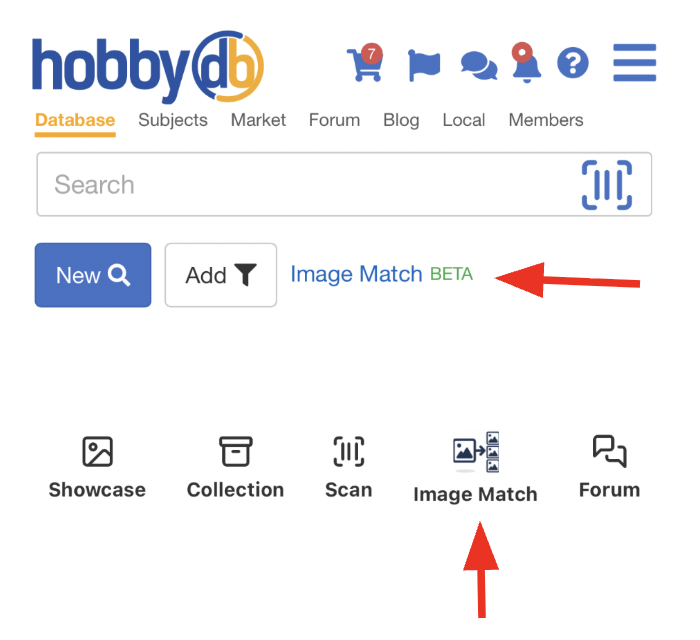
- Click on Image Matching Tool in the hobbyDB header or on the bottom of your App homepage.
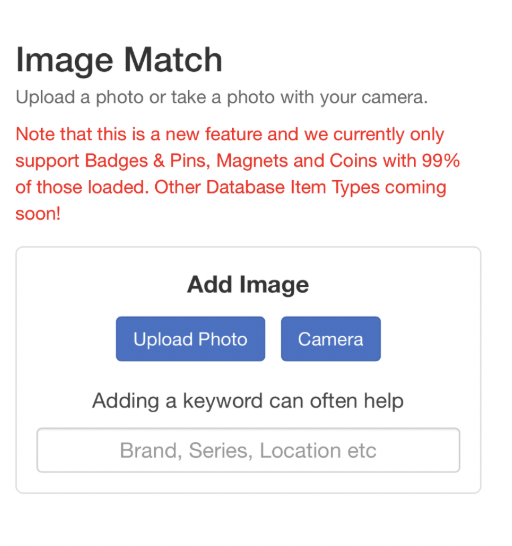
- Upload a clear image of the collectible or use your camera to take a picture. Supported image formats may include JPG, PNG, and other common image types.
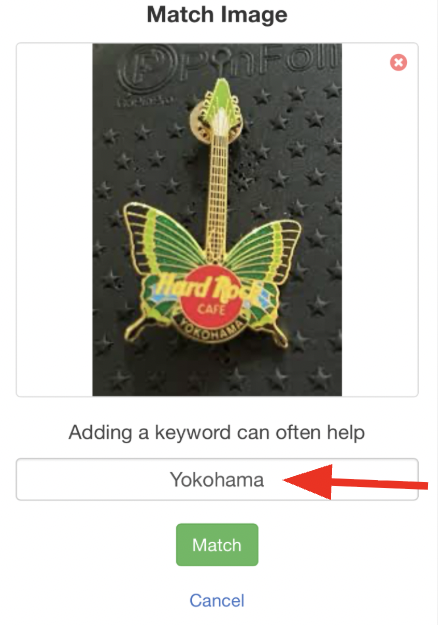
- If relevant, add a keyword to help narrow down your results
- Wait while the system analyzes the image.
- Review the suggested matches returned by the tool. The most relevant match will be the first result and will reveal the match score as a percentage.
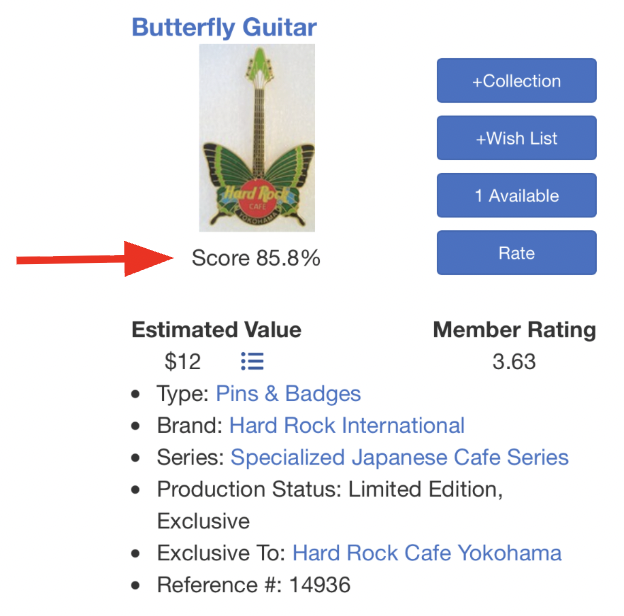
- Select the correct item to view its hobbyDB listing.
Tips for Better Results To improve matching accuracy:
- Use Clear Images
- Add a keyword in the search box below the image
- Ensure the item is in focus.
- Use good lighting whenever possible.
- Capture the Entire Item Include the full collectible in the frame.
- Avoid cropping important details.
- Reduce Background Clutter
- Either photograph the package or the item without the package (we use the Main and the Show on Search image).
Access to the hobbyDB Image Match Tool includes 5 Matches for Free members, 10 Matches for Lite Members, and Unlimited Matches for Premium All-In Members. Sign up for Premium All-In here.