
Website Purchases
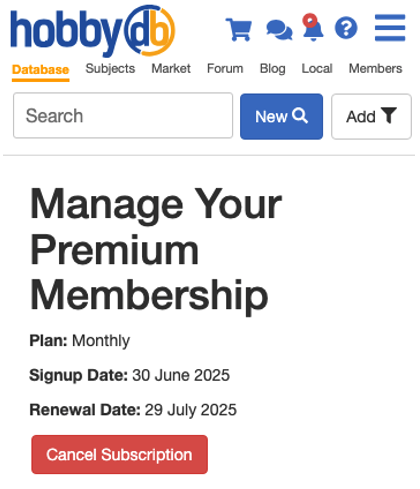
If you subscribed on our website via PayPal, you can manage your Subscription on the Manage Premium page which shows you your plan, when you signed and when your next renewal is coming up. You can also cancel your subscription here.
Apple or Android Purchases
If you subscribed on our App with Apple Pay or Google Pay, you can manage your Premium membership in the corresponding App Store. You will have to cancel your subscription within the App store as well.
Issues with Apple Pay
If you notice that you paid via Apple Pay and you still don't have your Subscriber role, we can certainly help. Sometimes the Apple API doesn't come through to us, but it's an easy fix. Please send us your payment confirmation as well as your Order ID (you can find your Order ID in your Apple Store, under your account, and then under purchases) and we will make sure you are all set.
Questions on Auto-renewals
Like many websites, subscriptions will Auto-Renew unless the member cancels the Subscription before the end of the term. All auto-renewal sales are final and are not eligible for a refund if we do not receive a cancelation notice before the renewal.
Refunds for Subscription Issues
We do our best to ensure every Subscription is set up correctly, but please do tell us if you notice an issue. It is up to the customer to let us know if there is an issue and it is our responsibility to make sure that issue to remedied within 48 hours. We can honor refunds of up to a month of service if you open a case regarding your issue.